Amazon Pay launches fixed deposits, expanding financial services portfolio in India
Amazon Pay announced the launch of Fixed Deposits, marking a significant expansion of its financial services ecosystem in India. Through strategic partnerships with two prominent NBFCs, Shriram Finance and Bajaj Finance and five banks—Shivalik Small Finance Bank, Suryoday Small Finance Bank, South Indian Bank, Slice, and Utkarsh Small Finance Bank, Amazon Pay is fixed deposit options to millions of customers across the country.
Customers can now open fixed deposits starting from INR 1,000 on Amazon Pay, with access to multiple partner institutions without opening separate savings accounts with each. Partner institutions offer interest rates up to 8% per annum, with all partners providing an additional 0.5% interest for senior citizens. Shriram Finance extends up to 0.5% additional interest for women investors.
Fixed deposits with partner banks are insured up to INR 5 lakh per depositor per bank under the Deposit Insurance and Credit Guarantee Corporation (DICGC), a subsidiary of the Reserve Bank of India, providing customers regulatory protection alongside attractive returns.
Customers can access the Fixed Deposit feature directly through Amazon Pay to compare offerings from partner institutions, select their preferred bank or NBFC and tenure, and complete the entire opening process digitally through a user-friendly interface.
This adds on to the company’s bid to diversify its offering stack to better penetrate the growing fintech market of India. As of now, the fintech platform allows users to transfer money, pay bills, buy insurance, travel tickets, invest in mutual funds and purchase digital gold.
However, it must be noted that these offerings are currently restricted only to an interface with Amazon’s ecommerce app. While reports emerged in August 2024 that Amazon might roll out a separate platform for its digital payments arm, it has not been enforced yet.



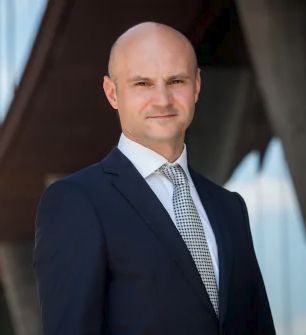
Dariusz Mazurkiewicz – CEO at BLIK Polish Payment Standard
Banking 4.0 – „how was the experience for you”
„To be honest I think that Sinaia, your conference, is much better then Davos.”
Many more interesting quotes in the video below: